banana-claude
githubAI image generation skill for Claude Code -- Creative Director powered by Gemini
Banana Claude
AI image generation skill for Claude Code where Claude acts as Creative Director using Google’s Gemini Nano Banana models.
Unlike simple API wrappers, Claude interprets your intent, selects domain expertise, constructs optimized prompts using Google’s official 5-component formula, and orchestrates Gemini for the best possible results.



Table of Contents
Installation
Plugin Install (Recommended)
Add the marketplace and install:
/plugin marketplace add AgriciDaniel/banana-claude
/plugin install banana-claude@banana-claude-marketplace
Or test locally:
git clone --depth 1 https://github.com/AgriciDaniel/banana-claude.git
claude --plugin-dir ./banana-claude
Standalone Install (without plugin system)
git clone --depth 1 https://github.com/AgriciDaniel/banana-claude.git
bash banana-claude/install.sh
One-liner (curl):
curl -fsSL https://raw.githubusercontent.com/AgriciDaniel/banana-claude/main/install.sh | bashWith MCP Setup:
git clone --depth 1 https://github.com/AgriciDaniel/banana-claude.git
cd banana-claude
./install.sh --with-mcp YOUR_API_KEY
Get a free API key at Google AI Studio.
Quick Start
# Start Claude Code
claude

# Generate an image
/banana generate "a hero image for a coffee shop website"

# Edit an existing image
/banana edit ~/photo.png "remove the background"

# Multi-turn creative session
/banana chat

# Browse 2,500+ prompt database
/banana inspire
Claude will ask about your brand, select the right domain mode (Cinema, Product, Portrait, Editorial, UI, Logo, Landscape, Infographic, Abstract), construct a detailed prompt with lighting and composition, set the right aspect ratio, and generate.
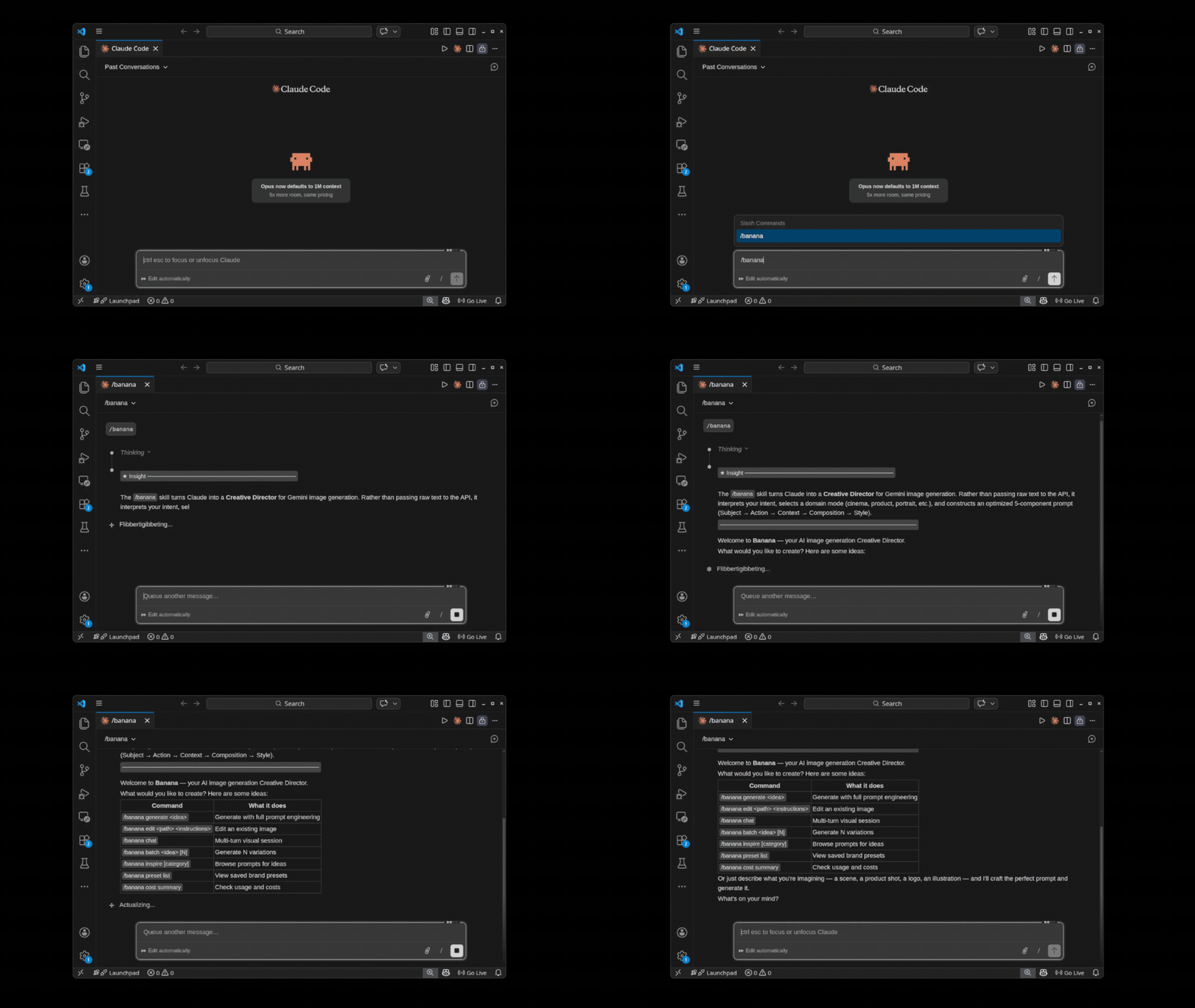
Commands
| Command | Description |
|---|---|
/banana | Interactive — Claude detects intent and guides you |
/banana generate <idea> | Full Creative Director pipeline |
/banana edit <path> <instructions> | Intelligent image editing |
/banana chat | Multi-turn visual session (maintains consistency) |
/banana inspire [category] | Browse 2,500+ prompt database |
/banana batch <idea> [N] | Generate N variations (default: 3) |
/banana setup | Configure MCP and API key |
/banana preset [list|create|show|delete] | Manage brand/style presets |
/banana cost [summary|today|estimate] | View cost tracking and estimates |
How It Works
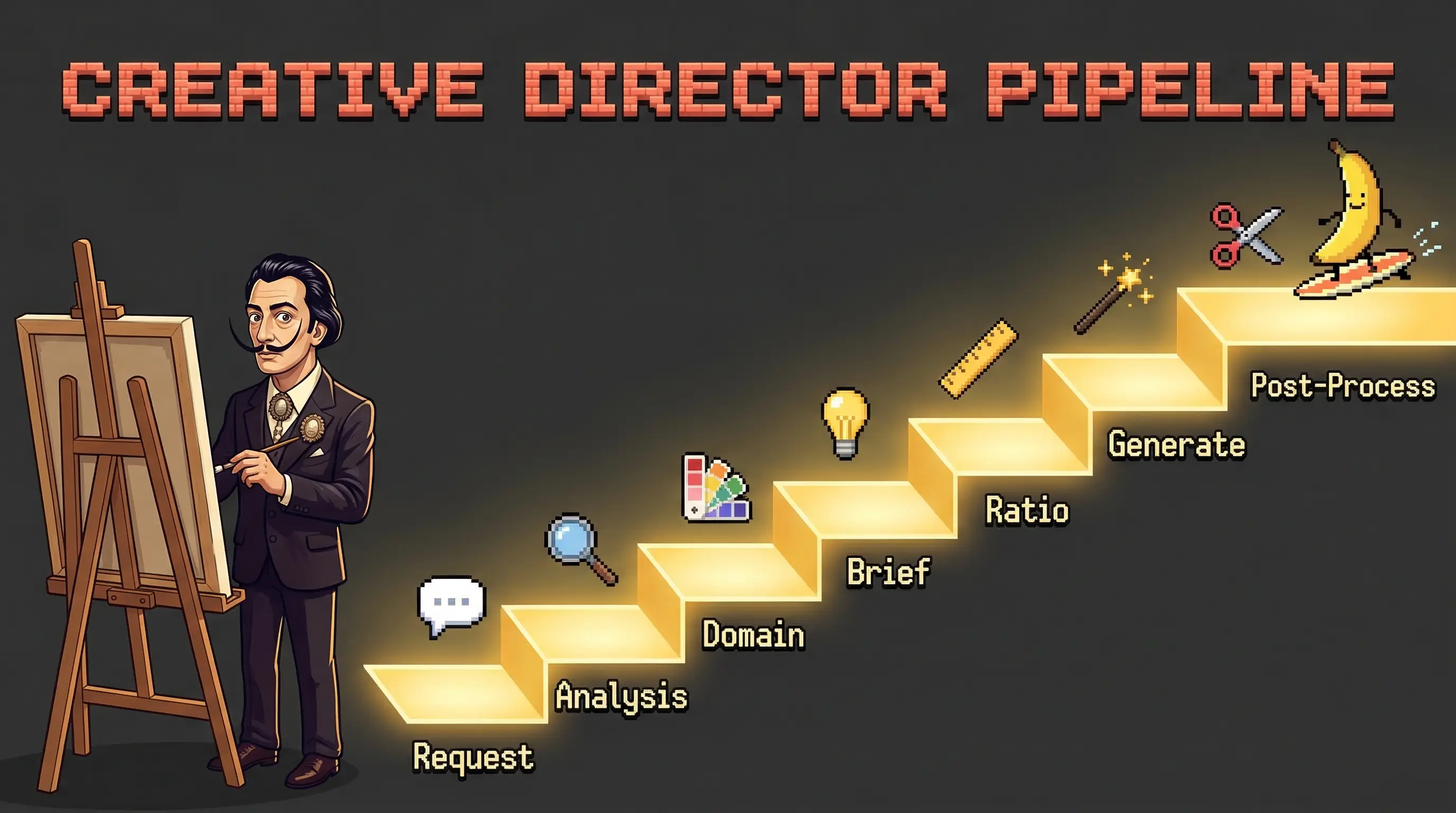
What Makes This Different
- Intent Analysis — Understands what you actually need (blog header? app icon? product shot?)
- Domain Expertise — Selects the right creative lens (Cinema, Product, Portrait, Editorial, UI, Logo, Landscape, Infographic, Abstract)
- 5-Component Prompt Formula — Constructs prompts with Subject + Action + Location/Context + Composition + Style (includes lighting)
- Prompt Adaptation — Translates patterns from a 2,500+ curated prompt database to Gemini’s natural language format
- Post-Processing — Crops, removes backgrounds, converts formats, resizes for platforms
- Batch Variations — Generates N variations rotating different components
- Session Consistency — Maintains character/style across multi-turn conversations
- 4K Resolution Output — Up to 4096×4096 with
imageSizecontrol - 14 Aspect Ratios — Including ultra-wide 21:9 for cinematic compositions
The 5-Component Prompt Formula
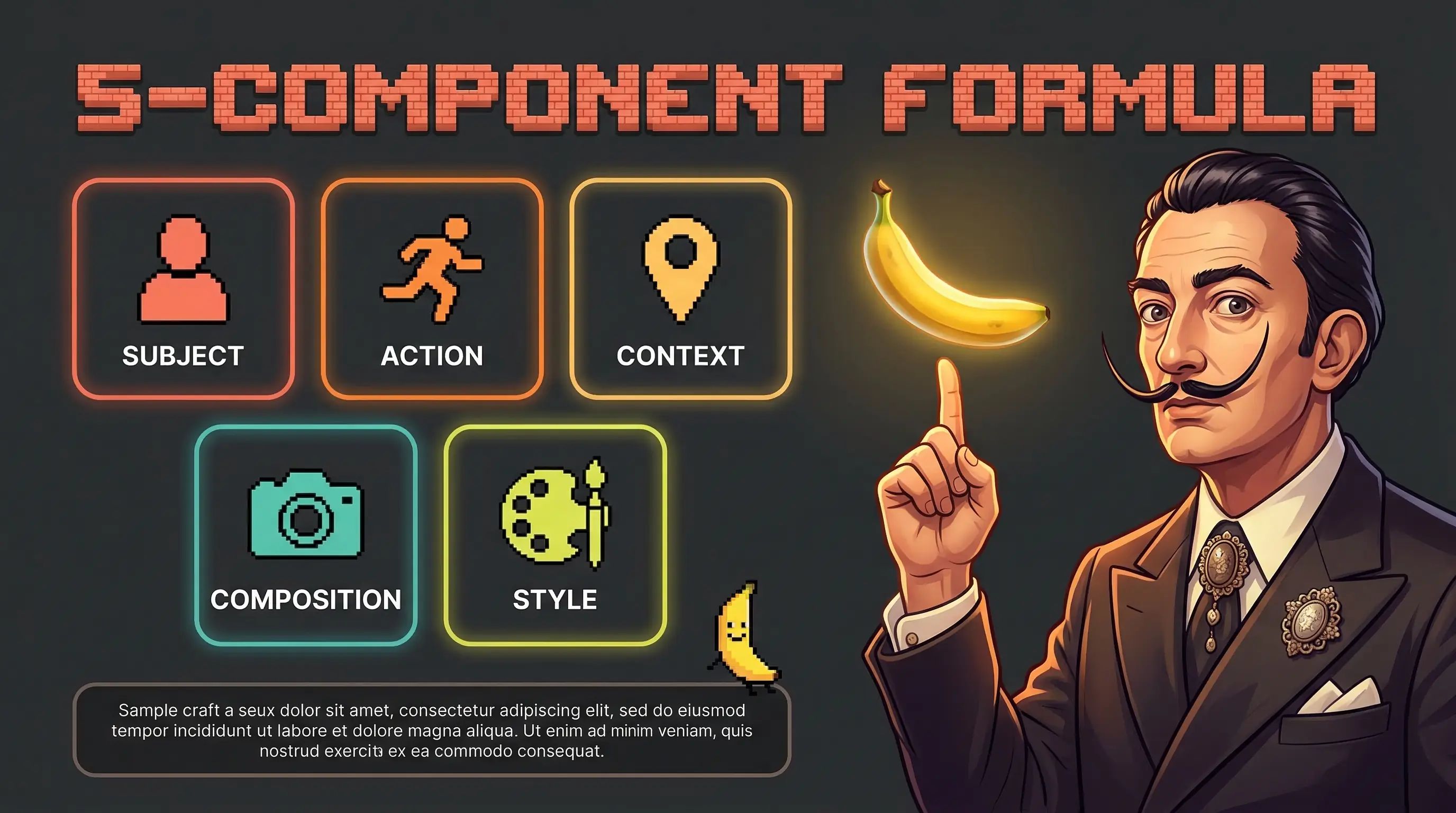
Instead of sending “a cat in space” to Gemini, Claude constructs:
A medium shot of a tabby cat floating weightlessly inside the cupola module of the International Space Station, paws outstretched toward a floating droplet of water, Earth visible through the circular windows behind. Soft directional light from the windows illuminates the cat’s fur with a blue-white rim light, while the interior has warm amber instrument panel glow. Captured with a Canon EOS R5, 35mm f/2.0 lens, slight barrel distortion emphasizing the curved module interior. In the style of a National Geographic cover story on the ISS, with the sharp documentary clarity of NASA mission photography.
Components used: Subject (tabby cat, physical detail) → Action (floating, paw gesture) → Location/Context (ISS cupola, Earth visible) → Composition (medium shot, curved framing) → Style (Canon R5, National Geographic documentary, directional window light + amber instruments)
Domain Modes
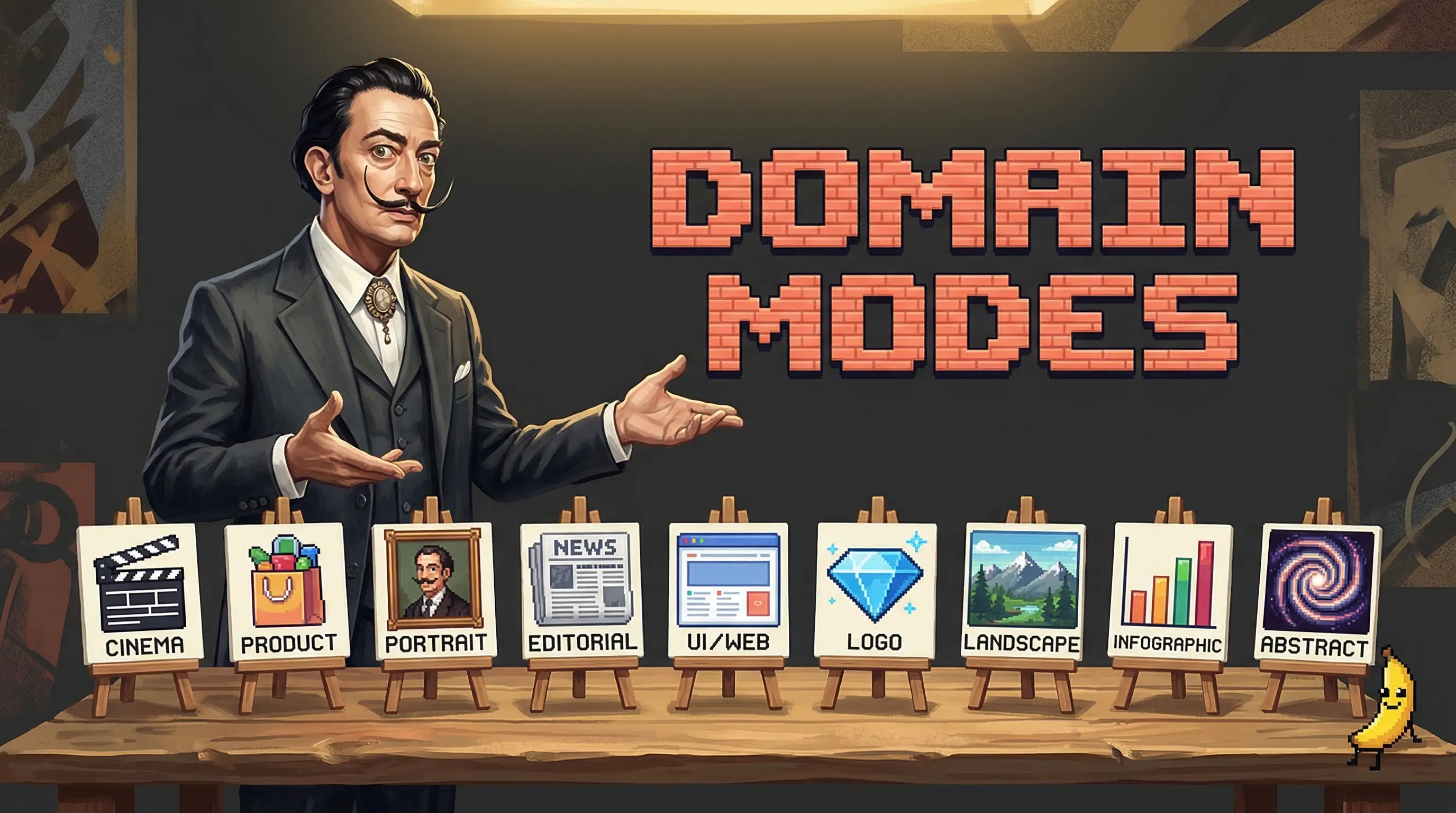
| Mode | Best For | Example |
|---|---|---|
| Cinema | Dramatic, storytelling | ”A noir detective scene in a rain-soaked alley” |
| Product | E-commerce, packshots | ”Photograph my handmade candle for Etsy” |
| Portrait | People, characters | ”A cyberpunk character portrait for my game” |
| Editorial | Fashion, lifestyle | ”Vogue-style fashion shot for my brand” |
| UI/Web | Icons, illustrations | ”A set of onboarding illustrations” |
| Logo | Branding, identity | ”A minimalist logo for a tech startup” |
| Landscape | Backgrounds, wallpapers | ”A misty mountain sunrise for my desktop” |
| Infographic | Data, diagrams | ”Visualize our Q1 sales growth” |
| Abstract | Generative art, textures | ”Voronoi tessellation in neon gradients” |
Models
| Model | ID | Notes |
|---|---|---|
| Flash 3.1 (default) | gemini-3.1-flash-image-preview | Fastest, newest, 14 aspect ratios, up to 4K |
| Flash 2.5 | gemini-2.5-flash-image | Stable fallback |
Architecture
banana-claude/                         # Claude Code Plugin
├── .claude-plugin/
│   ├── plugin.json                    # Plugin manifest
│   └── marketplace.json               # Marketplace catalog
├── skills/banana/                     # Main skill
│   ├── SKILL.md                       # Creative Director orchestration (v1.4)
│   ├── references/
│   │   ├── prompt-engineering.md      # 5-component formula, banned keywords, safety rephrase
│   │   ├── gemini-models.md           # Model specs, rate limits, capabilities
│   │   ├── mcp-tools.md              # MCP tool parameters and responses
│   │   ├── post-processing.md        # ImageMagick/FFmpeg pipelines, green screen
│   │   ├── cost-tracking.md          # Pricing table, usage guide
│   │   └── presets.md                # Brand preset schema and examples
│   └── scripts/
│       ├── setup_mcp.py              # Configure MCP in Claude Code
│       ├── validate_setup.py         # Verify installation
│       ├── generate.py               # Direct API fallback -- generation
│       ├── edit.py                   # Direct API fallback -- editing
│       ├── cost_tracker.py           # Cost logging and summaries
│       ├── presets.py                # Brand/style preset management
│       └── batch.py                  # CSV batch workflow parser
└── agents/
    └── brief-constructor.md           # Subagent for prompt construction
Requirements
- Claude Code
- Node.js 18+ (for npx)
- Google AI API key (free tier: ~5-15 RPM / ~20-500 RPD, cut ~92% Dec 2025)
- ImageMagick (optional, for post-processing)
Uninstall
Plugin:
/plugin uninstall banana-claude@banana-claude-marketplaceStandalone:
bash banana-claude/install.sh --uninstallContributing
Contributions welcome! Please open an issue or submit a pull request.
License
MIT License — see LICENSE for details.
Built for Claude Code by @AgriciDaniel
Author
Built by Agrici Daniel - AI Workflow Architect.
- Blog - Deep dives on AI marketing automation
- AI Marketing Hub - Free community, 2,800+ members
- YouTube - Tutorials and demos
- All open-source tools