claude-bedrock
githubSecond Brain automation for Obsidian vaults — entity management, ingestion, compression, and sync via Claude Code skills
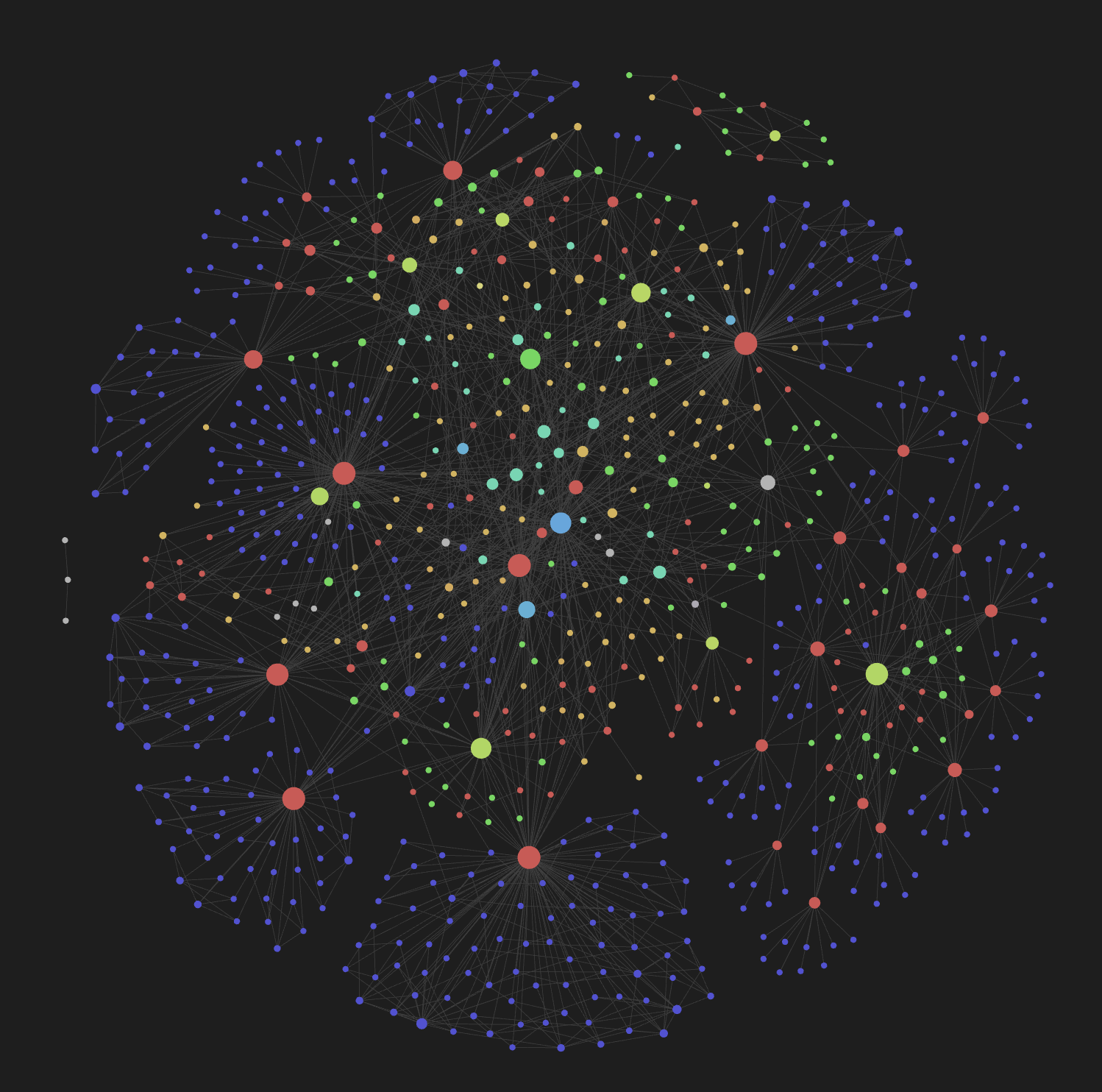
Bedrock
Turn any Obsidian vault into a structured Second Brain with AI agents



Bedrock is a Claude Code plugin that automates Obsidian vault management through AI-powered skills. It organizes knowledge into 7 entity types following adapted Zettelkasten principles — entity detection, bidirectional linking, ingestion from external sources, deduplication, and sync.
No build system. No runtime. Just markdown files, AI agents, and your Obsidian vault.
Features
- 8 AI-powered skills — setup, ask, teach, preserve, compress, sync, healthcheck, and vaults
- 7 entity types — actors, people, teams, topics, discussions, projects, and fleeting notes
- External source ingestion — Confluence, Google Docs, GitHub repositories, and any file format supported by docling (DOCX, PPTX, XLSX, PDF, HTML, EPUB, images, and more)
- Bidirectional wikilinks — automatic cross-referencing with Obsidian graph view
- Hierarchical tags — multi-dimensional filtering (
type/,status/,domain/,scope/) - Zettelkasten structure — permanent, bridge, index, and fleeting note roles
- Trunk-based git workflow — structured commit conventions built in
Installation
/plugin marketplace add iurykrieger/claude-bedrock
/plugin install bedrock@claude-bedrock
For local development:
claude --plugin-dir ./claude-bedrockQuick Start
After installing, run the setup wizard:
/bedrock:setupThis will guide you through:
- Language selection — choose the vault content language (default: English)
- Dependency check — verify
graphifyis installed (required) - Vault objective — pick a preset (engineering team, product management, company wiki, personal second brain, open source project, or custom)
- Scaffold — create directories, templates, config, and connected example entities
The setup creates all entity directories, copies templates, generates a vault-level CLAUDE.md, and scaffolds example entities with bidirectional wikilinks so you can see the graph in Obsidian immediately.
Skills
| Skill | Purpose |
|---|---|
/bedrock:setup | Interactive vault initialization and configuration |
/bedrock:ask | Orchestrated vault reader — decomposes questions, searches graph and vault, cross-references entities |
/bedrock:learn | Ingest external sources — extract and create entities |
/bedrock:preserve | Single write point — detect, match, create/update entities with bidirectional links |
/bedrock:compress | Deduplication and vault health — broken links, orphans, stale content |
/bedrock:sync | Re-sync entities with external sources |
/bedrock:healthcheck | Read-only vault health diagnostic — graphify-out integrity, orphans, dangling content, stale entries |
/bedrock:vaults | Manage registered vaults — list, set default, remove |
Vault Structure
your-vault/
├── actors/          # Systems, services, APIs (permanent notes)
├── people/          # Contributors, team members (permanent notes)
├── teams/           # Squads, organizational units (permanent notes)
├── topics/          # Cross-cutting subjects with lifecycle (bridge notes)
├── discussions/     # Meeting notes, conversations (bridge notes)
├── projects/        # Initiatives with scope and deadline (index notes)
└── fleeting/        # Raw ideas, unstructured captures (fleeting notes)
Each directory contains a _template.md defining the frontmatter schema for that entity type.
How It Works
Bedrock turns your vault into a living knowledge graph by combining 8 skills you invoke from Claude Code. You never write entities by hand — skills detect, create, and link them for you, with Obsidian rendering the result as a graph.
First-time use
- Open a folder you want to turn into a vault (or an existing Obsidian vault).
- Run
/bedrock:setup— answers a few questions and scaffolds directories, templates, and example entities. - Open the folder in Obsidian. You’ll already see a connected graph.
Day-to-day loops
- Capture knowledge from a source — paste a Confluence page, Google Doc, GitHub repo, remote URL, or any local file (DOCX, PPTX, XLSX, PDF, HTML, EPUB, images, and any other docling-supported format) into
/bedrock:learn. Bedrock extracts entities and writes them to the vault with bidirectional links. - Ask the vault questions — use
/bedrock:askfor anything like “who owns the billing API?” or “what’s the status of project X?”. It searches the graph, follows wikilinks, and answers with citations. - Keep sources fresh — run
/bedrock:syncto re-pull external sources, or/bedrock:sync --github/--peopleto surface recent activity and contributors. - Clean up drift — run
/bedrock:compressto fix broken backlinks, merge duplicates, and consolidate fragmented concepts. Run/bedrock:healthcheckfor a read-only report. - Manage multiple vaults — register several vaults with
/bedrock:vaults; target a specific one with--vault <name>.
What you get in Obsidian
Every entity has YAML frontmatter (type, status, domain, sources), hierarchical tags (type/actor, status/active, domain/payments), and bidirectional wikilinks. The graph view becomes a navigable map of people, systems, teams, topics, and projects — updated automatically as you teach Bedrock new content.
Dependencies
| Tool | Purpose | Required? |
|---|---|---|
| graphify | Semantic code extraction and knowledge-graph pipeline used by /bedrock:learn and /bedrock:sync | Yes |
| docling | Universal file → markdown converter used by /bedrock:learn to ingest DOCX, PPTX, XLSX, PDF, HTML, EPUB, images, and other non-markdown formats | Yes |
Both graphify and docling are auto-installed by /bedrock:setup (and lazily by /bedrock:learn on first use if missing). You can also install them manually via pipx install graphify / pipx install docling.
Confluence and Google Docs ingestion are built into the plugin as internal skills (/bedrock:confluence-to-markdown, /bedrock:gdoc-to-markdown) invoked by /bedrock:learn and /bedrock:sync — no external installation required.
Configuration
Configuration is stored in .bedrock/config.json inside your vault. Run /bedrock:setup again at any time to reconfigure.
Error Reporting
The bedrock plugin auto-reports framework errors as GitHub issues on
iurykrieger/claude-bedrock so
maintainers learn about real-world failures.
What gets reported
- Python tracebacks from skill scripts
- Non-zero exit codes from skill bash commands
- Known logical-failure phrases in Claude’s text (small auditable regex catalog)
What never gets reported
- Vault content (markdown bodies, frontmatter values)
- Absolute filesystem paths (replaced with
.../) - Vault entity names (people, teams, projects, etc.)
- URLs from your vault (Confluence, Google Docs, internal repos)
How to opt out
Add "error_reporting": false to your vault’s .bedrock/config.json:
{
  "error_reporting": false
}
Default is true. The hook silently skips reporting if gh is not installed
or you’re not authenticated, and logs the would-be report to
~/.claude-bedrock-cache/error-reporter.log.
Contributing
Contributions are welcome! Here’s how to get started:
- Fork the repository
- Clone your fork and install the plugin locally:
claude --plugin-dir ./claude-bedrock - Create a branch for your feature or fix
- Make your changes — skills live in
skills/, entity definitions inentities/, templates intemplates/ - Test by running the plugin against a test vault
- Open a PR against
main
Project Structure
claude-bedrock/
├── .claude-plugin/    # Plugin manifest (plugin.json)
├── skills/            # Skill definitions (SKILL.md per skill)
│   ├── setup/
│   ├── query/
│   ├── teach/
│   ├── preserve/
│   ├── compress/
│   └── sync/
├── entities/          # Entity type definitions
├── templates/         # Frontmatter schema templates
├── docs/              # Documentation assets
├── CLAUDE.md          # AI agent instructions
└── README.md
License
MIT — Iury Krieger