opslane
githubVerification Layer for Claude Code
Opslane
Opslane is self-serve QA for your PR. You paste the ticket; Verify drives a real browser against your local dev server, checks each acceptance criterion, and reports pass/fail with screenshots — inline in Claude Code, before you push.
How it works
When you finish a feature and run /verify, it doesn’t just lint the code. It reads the ticket, extracts the concrete acceptance criteria, and asks you about anything ambiguous. Then it drives the actual app via Playwright MCP — clicking, typing, navigating like a person would — and checks each AC against what it sees. You get a per-AC verdict with screenshots, and a Playwright video + trace on anything that didn’t pass.
This is the sanity pass you’d otherwise do manually with the PM ticket open in one tab and your dev server in another. It runs locally, against your real app, with no test code to write and no CI to wire up.
Demo
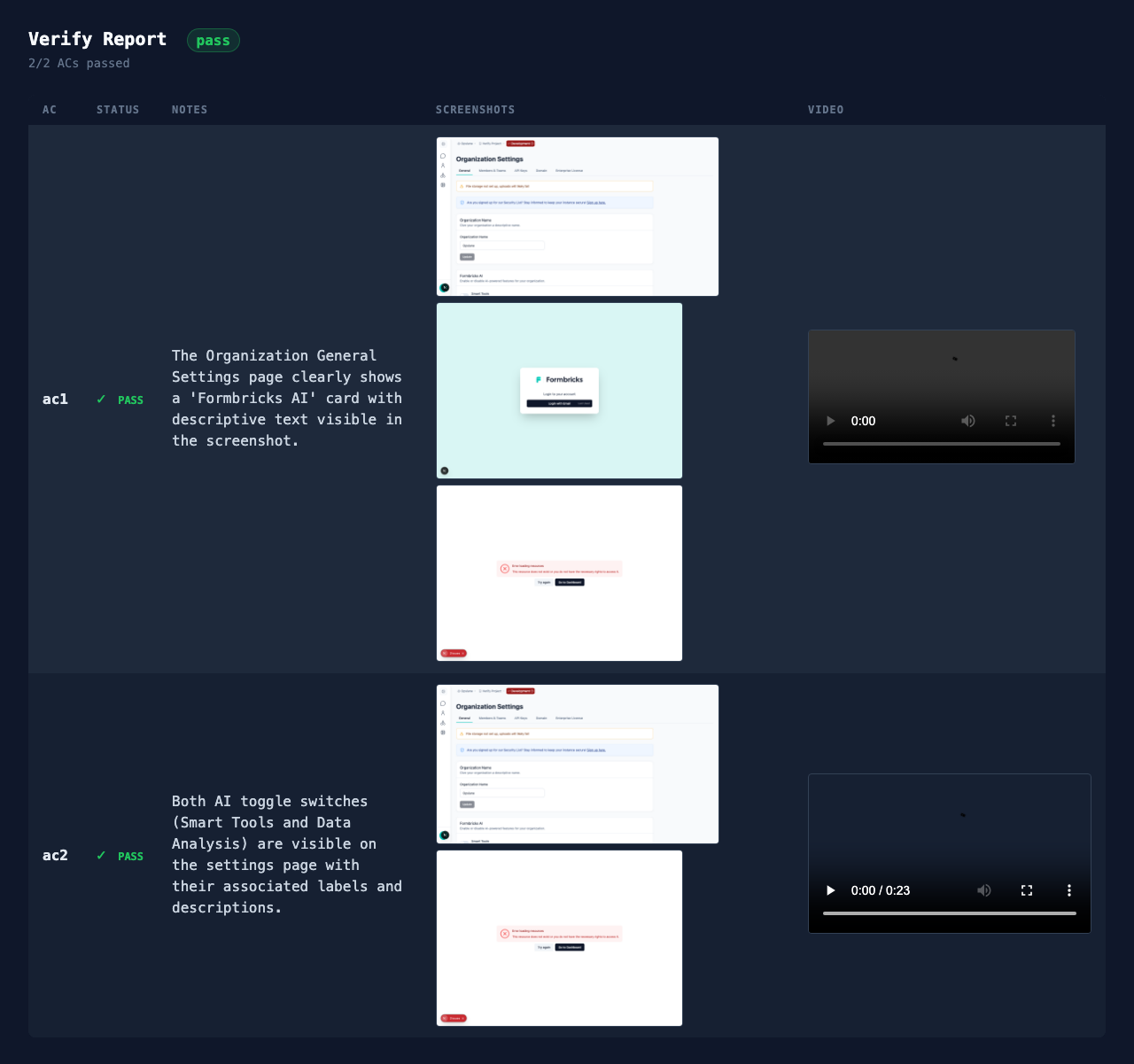
Installation
Prerequisites: Claude Code with OAuth login (claude login).
In Claude Code, register the marketplace first:
/plugin marketplace add opslane/verifyThen install the plugin:
/plugin install opslane-verify@opslane-verify-marketplaceThat’s it. The plugin registers two slash commands — /verify-setup and /verify — and wires up the Playwright MCP server automatically. No separate claude mcp add step.
Setup: /verify-setup
Run this once per repo from your repo root, with your dev server running:
/verify-setupIt does the following inline (no npm install, no CLI binary):
- Scaffolds
.verify/in your repo and adds it to.gitignoreif missing. - Detects your dev server port by reading
package.jsonscripts (dev/start/serveflags), then.env*files, then framework configs (vite.config.*,next.config.*). Falls back to3000and tells you. If it picks the wrong one, you can correct it (e.g. “my dev server runs on 5173”). - Pings the dev server at the detected port. If it can’t reach it, it stops here and tells you to start the server first.
- Writes
.verify/config.jsonwith the resolvedbaseUrl. - Indexes your routes. Walks your codebase looking for user-facing pages — works for Next.js (
app/,pages/), Remix (routes/), React Router (<Route>/createBrowserRouter), SvelteKit (routes/), Nuxt (pages/), and Express/Hono/Fastify route definitions. Skips/api/*. Handles monorepos. - Indexes your selectors by reading any existing Playwright (
*.spec.ts) or Cypress (*.cy.ts) tests and extracting the URLs they navigate to and the selectors they use. Prefersdata-testidand role-based selectors. - Writes
.verify/app.json— a single JSON map of routes + per-page selectors that/verifyreads later for grounded AC extraction. - Confirms Playwright MCP is registered and prints a setup summary.
Re-run /verify-setup any time your routes change or you’ve added new tests — the index gets refreshed.
Running: /verify
Once setup is done, verify any change with:
/verify                          # auto-discovers a likely spec file
/verify path/to/spec.md          # or point it at a specific spec
Here’s what happens, turn by turn:
- Spec intake. If you didn’t pass a path, it greps your repo for files matching
*spec*,*plan*,*requirements*,*acceptance*and either suggests one or asks you to pick. You can also paste the ticket inline. - Pre-flight. Confirms Playwright MCP is responding and your dev server is up. Then navigates to the app and checks whether you’re logged in. If not, it tries a
credentialsfield in.verify/config.json(path must live under.verify/), then asks you to paste creds inline. Logs you in via the browser; the session persists in.verify/auth.jsonfor next time. - Spec interpretation. Reads each AC and flags anything ambiguous — vague reveal actions (“shown” without saying how), missing preconditions, unclear targets, no clear pass/fail. Asks one clarifying question at a time. If nothing is ambiguous, it skips this turn.
- AC extraction. Pulls concrete, testable ACs grounded in your
.verify/app.jsonroutes and any seed data you’ve stashed in.verify/seed-data.txt. Splits multi-behavior ACs apart. Skips ACs that need external services (Stripe, email, OAuth). - Browser verification. For each AC: navigate → start video + trace recording → snapshot the page → interact (click, type, hover, wait) → screenshot → judge the verdict (
pass,fail,blocked,unclear,error,timeout,auth_expired,spec_unclear) → writeresult.json. Recordings get deleted on pass (no clutter) and kept on every non-pass verdict (so you can replay exactly what happened). - Report. Writes
verdicts.json(machine-readable) +report.html(single-file, embeds verdict cards, screenshots, and inline video) to.verify/runs/<run_id>/, and prints an inline pass/fail summary in Claude Code withnpx playwright show-tracecommands for any failures.
Hard limits keep runs tight: ~12 Playwright commands per AC, bail after 3 nav attempts, one retry per failed command, no source-code reads, no data mutation.
Example
You paste a ticket like this:
As a user, I want to save a draft of my document.
Acceptance criteria:
- The “Save Draft” button appears on the document edit page
- Clicking it persists the document state without publishing
- A confirmation toast appears with text “Draft saved”
Verify drives the browser through each AC and produces a verdict for every one:
{
  "ac_1": { "verdict": "pass", "confidence": "high", "reasoning": "Save Draft button visible on /docs/edit", "screenshots": ["save_draft_button.png"] },
  "ac_2": { "verdict": "pass", "confidence": "high", "reasoning": "Draft persisted; reload shows the saved state", "screenshots": ["draft_persisted.png"] },
  "ac_3": { "verdict": "fail", "confidence": "high", "reasoning": "Toast text was 'Saved' not 'Draft saved'", "screenshots": ["toast_mismatch.png"] }
}
You see the failing AC inline with the screenshot — before you push.
Debugging failures
After a run, evidence lives in .verify/runs/<run_id>/:
# Open the HTML report in a browser
open .verify/runs/*/report.html

# Or browse raw evidence for a specific AC
ls .verify/runs/*/evidence/<ac_id>/
Each AC’s evidence directory contains:
result.json— verdict, confidence, reasoning, steps taken, screenshot filenames*.png— screenshots captured during execution- On non-pass verdicts:
{run_id}-{ac_id}.webm(video) +trace.zip(Playwright trace) — replay the run withnpx playwright show-trace .verify/runs/<run_id>/evidence/<ac_id>/trace.zip
Why this exists
Built this because I kept shipping PRs that passed my eyeball check but failed the PM’s check. Verify is the sanity pass I always did manually, automated against a real browser — not a mock, not a unit test, the actual app.
Recently shipped
See CHANGELOG.md for the full release history.
Latest (v1.1.0 — 2026-04-23):
- Per-AC video + trace evidence on non-pass verdicts
- Inline
/verify-setupskill (no CLI binary) - Playwright MCP-based
/verify(one-command install via/plugin install)
FAQ
How is this different from Playwright alone? Playwright is a browser library — you still write tests, run them, maintain them. Verify takes a PM ticket and executes intent-level checks via Claude + Playwright MCP. No test code to write, no selectors to maintain, no CI to wire up.
What about auth?
The plugin launches Playwright with --storage-state .verify/auth.json --isolated. On first /verify run, the skill walks you through logging in once and re-uses the session for every subsequent run.
What about flaky selectors?
The browser agent navigates by intent (clicks “the submit button” via the accessibility tree), not brittle CSS selectors. If something does break, .verify/runs/<run_id>/evidence/<ac_id>/ has the video + trace so you can see exactly what happened.
Dev setup
See CLAUDE.md for dev commands, conventions, and test instructions.
License
MIT — see LICENSE.